Spring Boot Admin (SBA) Discovery Setup
Background
Our Spring Boot Admin has been configured to act as a Discovery client for services in Kubernetes. This means that it will automatically discover and register services found in the cluster if configured in a particular way.
Configuration
| It is assumed that your service has been updated to use mobile-framework v2. |
Kubernetes changes
For a service to be discovered, it needs to have two label fields added to its K8s service.yaml configuration.
These two labels are sbaCompatible and build.version.
Here is an example of how it would look in a service.yaml file in a legacy (helm-maven-plugin-based) project and a
new Kustomize-based project:
metadata:
  labels:
    sbaCompatible: "true"
build.version: $VERSION (1)metadata:
labels:
sbaCompatible: "true"
build.version: 1.0.0 (2)| 1 | $VERSION is a placeholder that will be replaced with the application version during the deploy job |
| 2 | Value is output automatically based on the pom.xml version with the scripts/setKustomizeValues.sh script, when
configured in the Skaffold manifest pre-render phase |
Our SBA keys on the sbaCompatible label to determine if a service should be registered with it. The build.version label is used to identify the version of the service.
Here is an example of how it would show up in a service such as cerner-sts (helm):
apiVersion: v1
kind: Service
metadata:
  namespace: $NAMESPACE
  labels:
    service: cerner-sts-v1
    app: cerner-sts
    build.version: $VERSION
    version: v1
    sbaCompatible: "true"
  name: cerner-sts-v1
spec:
  ports:
  - name: "http-8080"
    port: 8080
    targetPort: 8080
  selector:
    service: cerner-sts-v1
  sessionAffinity: None
  type: ClusterIP
Here is an example of how it would show up in a service such as eula-service (skaffold/kustomize):
apiVersion: v1
kind: Service
metadata:
  labels:
    service: eula-service-v1
    app: eula-service
    version: v1
    sbaCompatible: "true"
    build.version: 1.19.1
  name: eula-service-v1
spec:
  ports:
  - name: "http-8080"
    port: 8080
  selector:
    service: eula-service-v1
  sessionAffinity: None
  type: ClusterIP
Whether your service has been converted to skaffold/kustomize or not, you just need to make sure your final K8s service definition has the sbaCompatible label set to true and the build.version label set to $VERSION for helm and actual version for skaffold/kustomize.
Helm projects - Conversion process
-
For our normal helm projects, note the
service.yamlfile in thekubernetesfolder.-
Recent updates to this file use a local template in the repo, located in a templates→kubernetes folder.
-
Update the template to add the proper labels for
service.yaml
-
-
Verify that final/generated
service.yamlin the kubernetes folder has the labels set properly in the service definition.
Skaffold/Kustomize projects - Conversion process
-
Update the kubernetes→base→service.yaml file to include the labels (
sbaCompatibleandbuild.version). -
Verify that the rendered manifest for each environment has the labels set properly in the service definition.
-
To generate a manifest for SQA: run
kustomize build kubernetes/sqa/ -
To generate a manifest for PROD: run
kustomize build kubernetes/prod/
-
SBA client removal
As mentioned earlier, the change above gives you enough to make you service discoverable by SBA. Spring Cloud Discovery does not require the SBA client. However, the SBA client is currently packaged with our services utilizing mobile-framework. We need to remove this dependency from our service.
We should remove/exclude the SBA client dependency since that is no longer needed once we enable the service to be discovered by SBA. mobile-framework cannot automatically remove this dependency as this would be considered a breaking change for services that update and depend on this already provided dependency. Therefore, we need to manually remove/exclude this dependency from our services.
| Future version of mobile-framework may remove this dependency to be automatically included after it is determined all clients have migrated to discovery |
Removal steps
-
Within the service folder, run the following command to get the dependency tree:
mvn dependency:tree
to output the dependency tree. Search this output for
spring-boot-admin-starter-clientto find the dependency and where it comes from.-
A more advanced command to run utilizing grep is the following:
mvn dependency:tree | grep spring-boot-admin-starter-client -B 30
This will search for the text and give you the last 30 lines before it.
-
Most likely dependencies you may have that would bring in the client:
-
mobile-service-webmvc-starter
-
mobile-service-webflux-starter
-
mobile-service-observability-starter
-
-
-
Exclude the
spring-boot-admin-starter-clientdependency from the dependency that brings it in. This can be done in the pom.xml file of the service. Here is an example of how to exclude it from themobile-service-webmvc-starter:<dependency> <groupId>gov.va.mobile.lib</groupId> <artifactId>mobile-service-webmvc-starter</artifactId> <exclusions> <exclusion> <groupId>de.codecentric</groupId> <artifactId>spring-boot-admin-starter-client</artifactId> </exclusion> </exclusions> </dependency> -
Verify that
spring-boot-admin-starter-clientis no longer in the dependency tree by runningmvn dependency:treeagain. If it shows up, exclude it from the correct dependency that brings it in and repeat this step until it no longer shows up. -
Update your application.properties to set the following property:
spring.boot.admin.client.url=. This ensures that the service will not register with SBA via the admin client.
Rebuild service with these changes applied. This should be a new version of the service due to dependency/source changes.
Proof of Concept
Service chosen: ssoe-sts
This project is currently a helm based build. Here is the link to the changes made that encompasses the main changes:
-
Spring Boot Admin client removal: https://coderepo.mobilehealth.va.gov/projects/IUMS/repos/ssoe-sts/commits/e6b3b9ad083aac406447f8428013ecbd46466b6e#ssoe-sts%2Fpom.xml
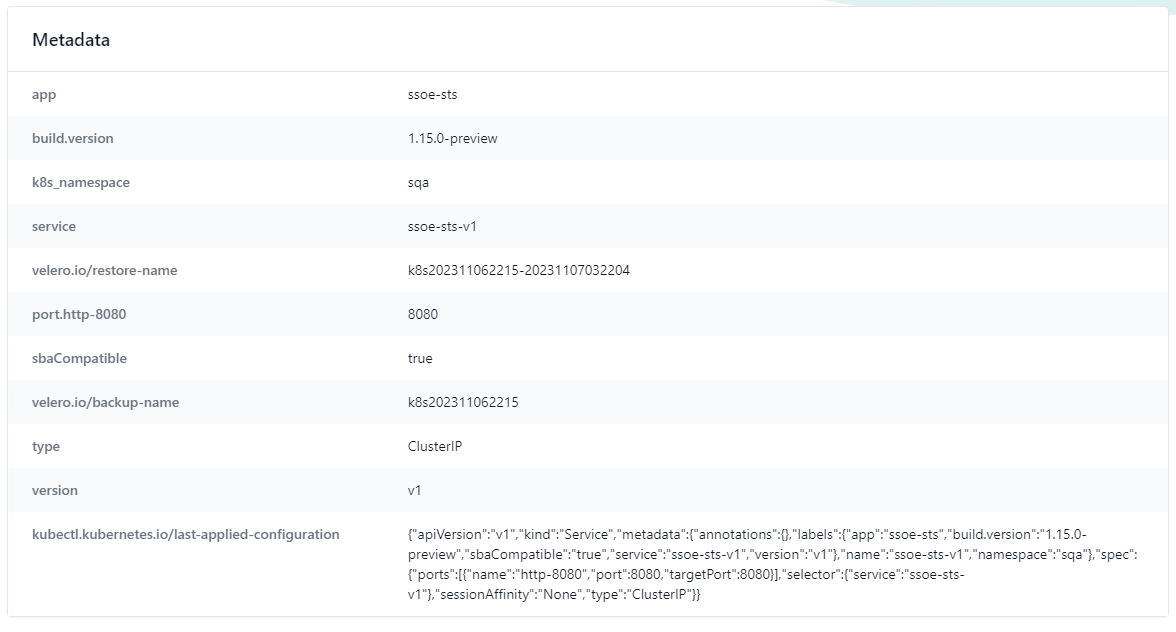
Here is a before screenshot of the metadata section in SBA in SQA before discovery:

After service was built and deployed to SQA with changes made, this is the updated metadata section in SBA:
Service chosen: authorization-rules-service (kustomized) → commit showing changes → https://coderepo.mobilehealth.va.gov/projects/IUMS/repos/authorization-rules-service/commits/b312a034f6787eb6c543fe0255dc70f2db77a8ee

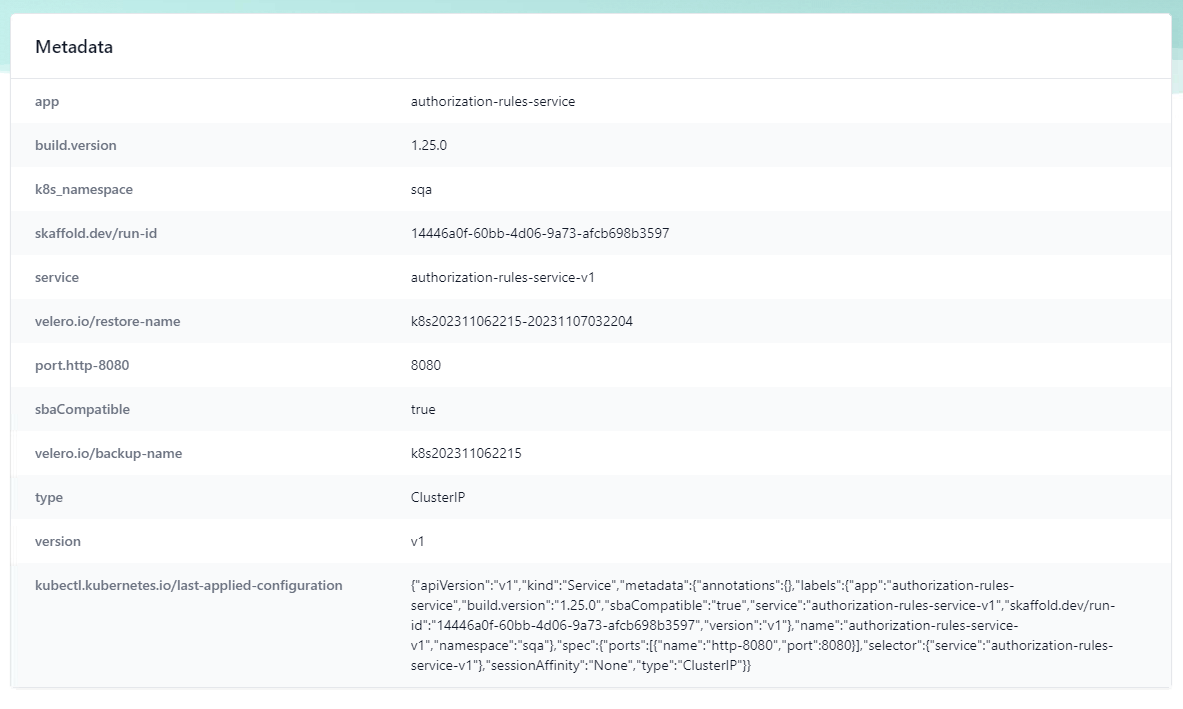
After service built and deployed to SQA with changes made, this is the updated metadata section in SBA: